Snippets
A snippet is reusable text, saved in the editor as a numbered revision.
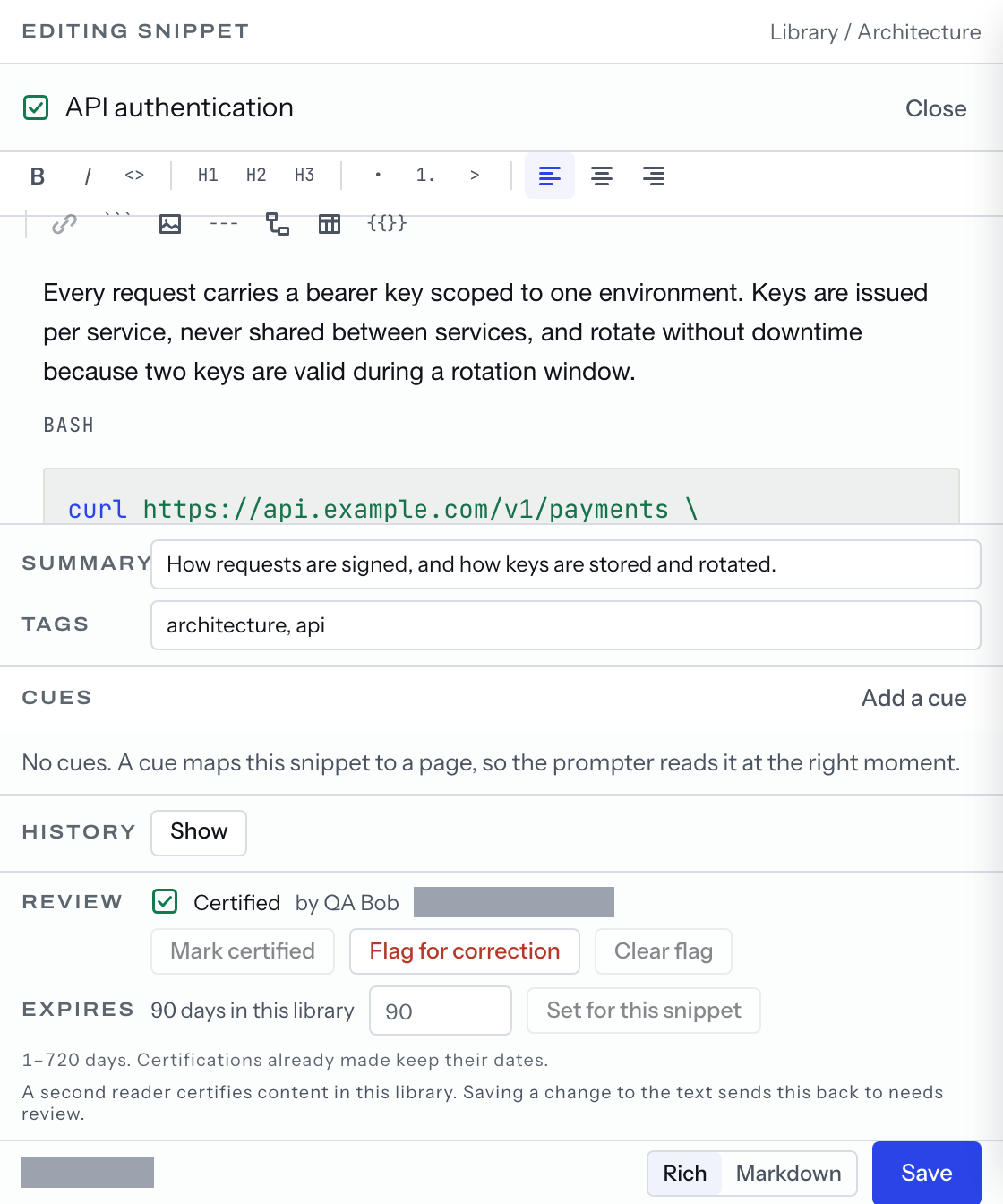
Requires: a curator or an admin, not suspended. In a personal workspace any unsuspended member may also save a revision.
- Press
Writein the library pane's footer. - Type a
Titleand pressCreate snippetin theNew snippetdialog. Pane 2 swaps the canvas for the editor. - Write the body. Press
⌘S, orSavein the editor's footer.
Writing
- The footer carries a
Rich/Markdownswitch over one buffer. - A fenced block keeps its language and whatever follows it on the fence line.
- A
mermaidfence is drawn as a diagram in the document preview, the one pane 3 shows with the editor closed and no prompter running; the editor's own preview does not draw it. SummaryandTagssave with the body, in the same revision.
The save line
UNSAVED — ⌘S saves a new revision while there is something to write, then
SAVING…, then SAVED with a time, No changes where the save found nothing
different, or NOT SAVED — with the reason and its code.
History
History is a band in the editor; Show opens it. Each revision is tagged
where it applies: Current, Certified, metadata only for a save that
changed no content, imported for one an import wrote. Preview puts one in
pane 3; opened from the library list, which has no pane 3, it is off with a
reason. Restore revision 3 writes that revision's text forward as a new
revision, or reads Revision 3 matches the current text. Nothing was written.
Collections organize snippets; search finds them.